
Every sound on your GLIDE, as a knob you can turn while you play.
Free, in your browser. Plug GLIDE into your computer and shape its sound live, keep every note you play, and share sounds as pictures.
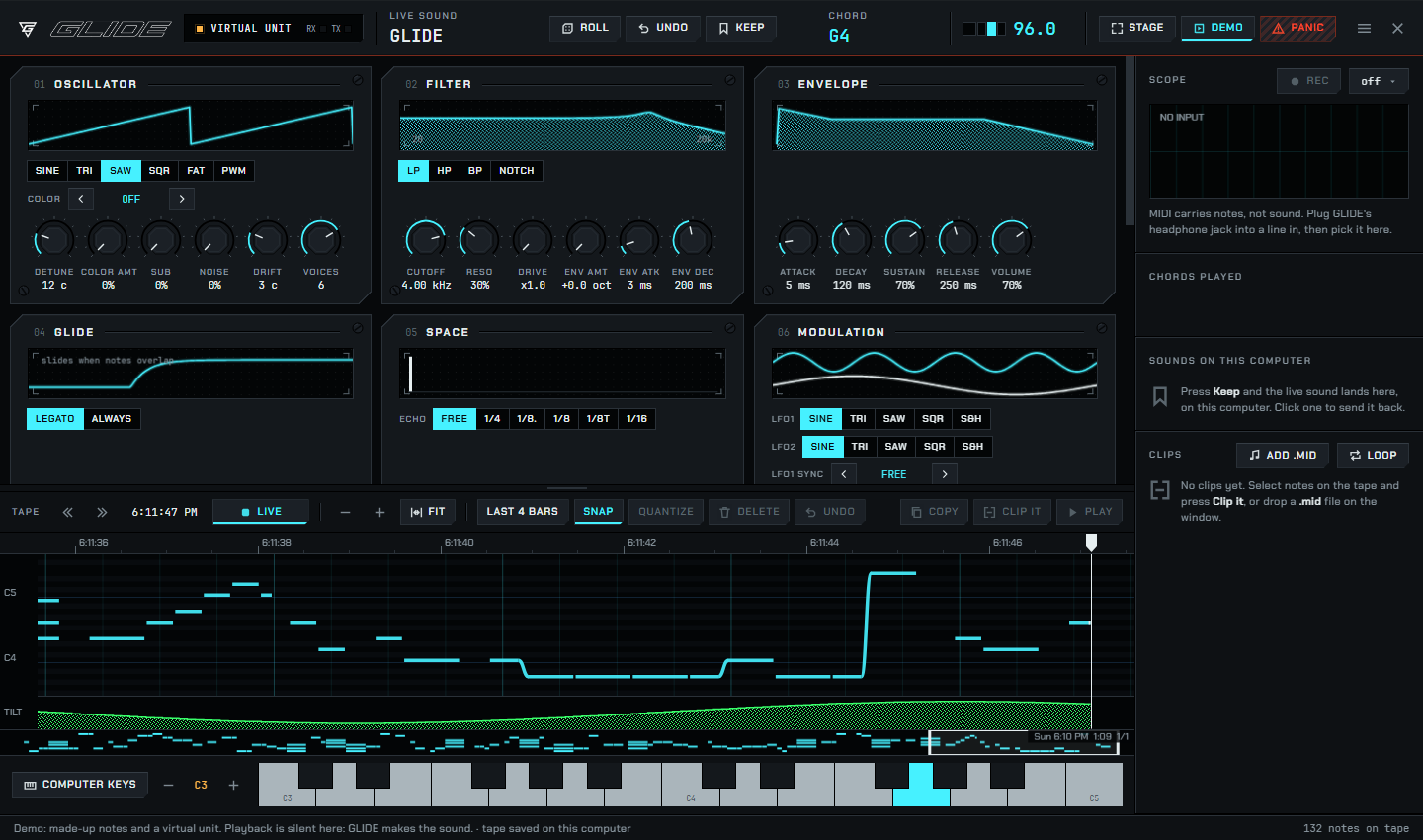
The at-home half of GLIDE
GLIDE is made to be played anywhere. Studio is where you sit down with it.
Every setting, live
Oscillator, filter, envelope, glide, space and modulation, all as knobs. Turn one while you play and hear it at once. Roll a brand-new sound, undo, keep the ones you love.
A tape that never forgets
Everything you play is kept, even when you were just noodling. Pull out the good part, tidy it, loop it, and send it back to GLIDE to play. Export it as MIDI.
Sounds you can share
Save any sound as a picture card. Send it to a friend with a GLIDE: they drop it on Studio and play your sound exactly.
New versions in one click
When a new GLIDE comes out, Studio shows a dot. Press Update and it does the rest, then says Done when your GLIDE is running the new version. Your sounds and settings stay as they are.
- Plug GLIDE in with the cable from its box.
- Menu, Update GLIDE, Update.
- About half a minute later: Done.
Backing up the settings...
Writing GLIDE...
Written and checked. Restarting GLIDE...
Done. GLIDE is running the new version.
What you need
Questions
Does it cost anything?
No. Studio is free, with no account and nothing to subscribe to.
Where do my recordings and sounds go?
They stay in your browser, on your computer. Use Back up everything in the menu to move them to another computer. When you update GLIDE, Studio also keeps a copy of its settings on that computer, just in case.
Do I need to install anything?
No. Open the page and plug in. If you like, install it as an app from the address bar so it opens in its own window and works offline.
Can I try it without a GLIDE?
Yes. Press Demo inside Studio: a virtual unit plays made-up notes so you can look around. It stays silent, because GLIDE makes the sound.
Does GLIDE still work without Studio?
Yes. GLIDE is a complete instrument on its own. Studio is extra, for when you are at a desk.
Studio cannot see my GLIDE
Use the cable from the box (some cables only charge), and Chrome or Edge. More fixes on the help page.